
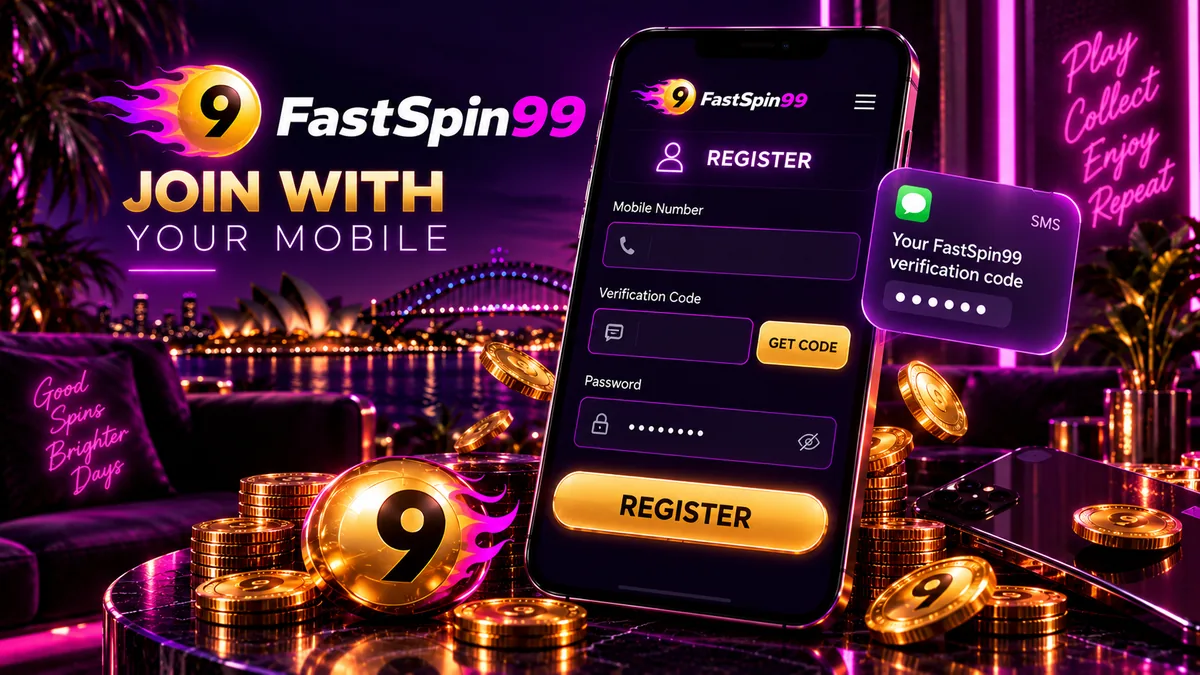
The FastSpin99 register process is shorter than most casino sign-ups. You won’t find an email field or a long questionnaire. You enter your mobile number, press GET CODE, type in the SMS code, choose a password and link a bank account in your own name. Accounts run in AUD only, so there’s no currency to choose either.
This guide follows FastSpin99 registration in Australia from the first tap to your first sensible moves in the lobby. For the wider picture first, including games, payments and promotions, start with FastSpin99 at a glance and come back here once you’re ready to create an account.
What you need before you start
The FastSpin99 sign up form is short, but three of its fields stay tied to your account for as long as you play. Get the following sorted before you press REGISTER, so you don’t end up with a half-finished profile.
- You must be 18 or older. Real-money casino play is for adults only. Don’t open an account on anyone else’s behalf, even for a family member who asks you to.
- A mobile number you personally control. The SMS code goes to this number, and the number then becomes your login. A work phone you might have to hand back, or a prepaid SIM you could let lapse, is a bad pick.
- A bank account in your own name. Deposits must come from an account whose name matches the name on your FastSpin99 profile, and withdrawals are paid back to the linked account.
- A strong, unique password. Choose one you don’t use anywhere else. Anyone who has your number and this password can get into your balance.
Ideally, register on a device you intend to keep using. Sign-up works in a desktop browser, in a mobile browser or in the H5 web app behind the Download App menu item, and one set of login details covers all three.
How to register at FastSpin99
The FastSpin99 create account flow starts on the home screen, right next to the login form. The site asks for things in this order.
- Open the site or appGo to the official FastSpin99 site in your browser or open the web app from your home screen. Check the address before you type anything.
- Tap REGISTERThe home screen shows LOGIN and REGISTER together. Pick REGISTER to open the sign-up form.
- Enter your mobile numberType the number that will receive the code. Check every digit, because this number becomes your login.
- Press GET CODE and enter the SMSA text with a verification code is sent to your phone. Type the code into the SMS code field exactly as it arrived.
- Choose a passwordSet a password you have not used on any other site. You will need it together with your number every time you log in.
- Link your bank accountAdd the bank account you will deposit from and withdraw to, with the account holder name exactly as your bank shows it.
Once the form goes through, you’re taken to the home screen, where the balance block reads AUD 0.00 with the DEPOSIT, WITHDRAW and REFRESH buttons underneath. That tells you the FastSpin99 new account is live. Closed the tab later and can’t get back in? The FastSpin99 login help page walks through the sign-in form and the usual fixes.
Get your SMS code at FastSpin99Why there is no email sign-up
Plenty of casinos let you register with an email address and confirm through a link. FastSpin99 has switched that route off, and registration runs on the mobile number and the SMS code alone.
In practice, nobody can finish the form without a working phone in their hand. It also means your number takes over the job an email address does on other sites: it’s your username, and it’s where every verification code gets sent.
A few practical things follow from that, and they’re worth sorting out on day one:
- Keep the SIM active. A prepaid number that expires can be recycled to someone else, and with it goes the thing that identifies you as the account holder.
- Note which number you used. On a dual-SIM phone, or if you keep a spare prepaid, write down which one received the code. Logging in with the wrong number is a common mix-up and an easy one to avoid.
- Changing numbers? Talk to support first. Ask live chat how to update the number on your account before you port or cancel the old one. Chat is open 24/7, so you can get it done while the old SIM still works.
Linking your bank account and the name rule
Most sign-up trouble starts at the bank account step, even if it only surfaces at the first deposit or the first withdrawal. The deposit notice on the site spells the rule out: the name on the account you pay from must match the name on your FastSpin99 account.
Withdrawals are paid to the bank account linked to your profile, so that’s also where any winnings end up. The site shows a minimum withdrawal of A$30. A typo in those details is far easier to fix now than when you’re trying to cash out.
Use your name exactly as your bank shows it
The reasoning behind the check, and how it ties into account security, is covered in why the bank name must match. With your details in, your first PayID deposit is the obvious next step. The general PayID option starts at A$10 for every bank except CommBank, and CommBank customers get their own PayID option from A$5.
SMS code not arriving?
A FastSpin99 SMS code that never turns up is the usual reason a sign-up stalls. Go through this table before you give up on the form.
| Problem | What to try |
|---|---|
| Nothing arrives after pressing GET CODE | Wait a full minute before pressing again. Verification texts can lag, and pressing the button repeatedly leaves you with several codes and no clear idea which one is current. |
| Wrong or mistyped number | Go back and check each digit. Make sure the number matches the format the form expects, with or without the leading 0 or the +61 prefix. |
| Weak signal or flight mode | Turn flight mode off, move somewhere with better reception, then request a new code. |
| Text filtered or hidden | Look in the filtered or unknown-senders section of your messages app, and check any call or spam blocking app you have installed. |
| Code rejected as invalid | You may be typing an older code. Use only the most recent text, and request a fresh code if the last one has been sitting for a while. |
| Still stuck after several tries | Open live chat, which runs 24/7, and tell support which number you are registering with. Keep the code itself to yourself. |
After registration: first steps
With AUD 0.00 on a brand-new account, no money has moved yet, which makes this a good time to set things up properly.
- Open the PROMO tab. You’ll find it in the bottom bar beside HOME and HISTORY, with a counter showing current offers. Go through the terms before your first deposit.
- Check the FREE CREDIT tab in the lobby. It sits next to ALL GAMES and POKIES. Outside sites quote all sorts of amounts, so rely on the figures shown inside your account. Before claiming anything, read up on free credit for new members and the turnover, max cashout, eligible games and expiry rules to look for.
- Start with a small deposit. The site minimum is A$10. A small first payment lets you confirm your bank name matches before you put in more.
- Save the Backup Domain. There’s a Backup Domain item in the side menu. Copy that address somewhere outside your browser, so you can still get to the site if the main address stops loading.
- Decide on notifications. The site asks you to turn on notifications to claim an exclusive bonus. Only say yes if you really want promo alerts popping up on your phone.
- Put the web app on your home screen. Download App opens an H5 web app, not a store download. The guide to installing the web app shows how to set it up.
Setting limits from day one
Work out how much you’re prepared to lose before the first deposit, while the balance still reads zero. A handful of habits go a long way:
- Set a monthly budget you could lose without it touching rent, bills or groceries, and count any money you deposit as spent.
- Check your bank’s app. See whether your bank offers a gambling block or a spending cap. Deposits come from an account in your own name, so those controls give you a limit that sits outside the casino entirely.
- Run a timer on your phone. A pokies session can easily run longer than you meant it to.
- Do not chase losses with a bigger deposit, and don’t let free credit talk you into topping up.
- Look at HISTORY every week. The records in the bottom bar show what you’ve actually spent more reliably than memory does.
Once you’re in, have a look under SETTING as well. If gambling stops feeling like entertainment, the page on responsible gambling tools lists free and confidential support for Australians, including Gambling Help Online.
Ready to open your FastSpin99 account?
Have your mobile number, a strong password and your bank details in hand, then tap REGISTER and request your SMS code.
FastSpin99 registration FAQ
Can I register at FastSpin99 with an email address?
No. Email sign-up is switched off on the site. Registration works only with a mobile number and the SMS code sent to it after you press GET CODE.
What details does the FastSpin99 sign-up form ask for?
Your mobile number, the SMS code and a password. The site also asks for a bank account in your own name, which is where withdrawals are paid.
Does it cost anything to create a FastSpin99 account?
Registration itself is free. Deposits start from A$10 on most methods, and the payment settings published on the site list no deposit fee.
Can I link someone else's bank account?
No. The name on the account you deposit from must match the name on your FastSpin99 profile, and withdrawals go to the account linked to you.
Can I register on my phone?
Yes. The sign-up works in any mobile browser and in the H5 web app from the Download App menu item. It is not an App Store or Google Play download.
What if the FastSpin99 SMS code never arrives?
Wait a minute, check the number and your filtered messages, then request a new code. If it still does not come through, contact live chat, which is open 24/7.